Daily Workflows
Update Profile and Availability
Summary
Keep profile and weekly availability accurate so booking and handoff workflows stay reliable.
Steps
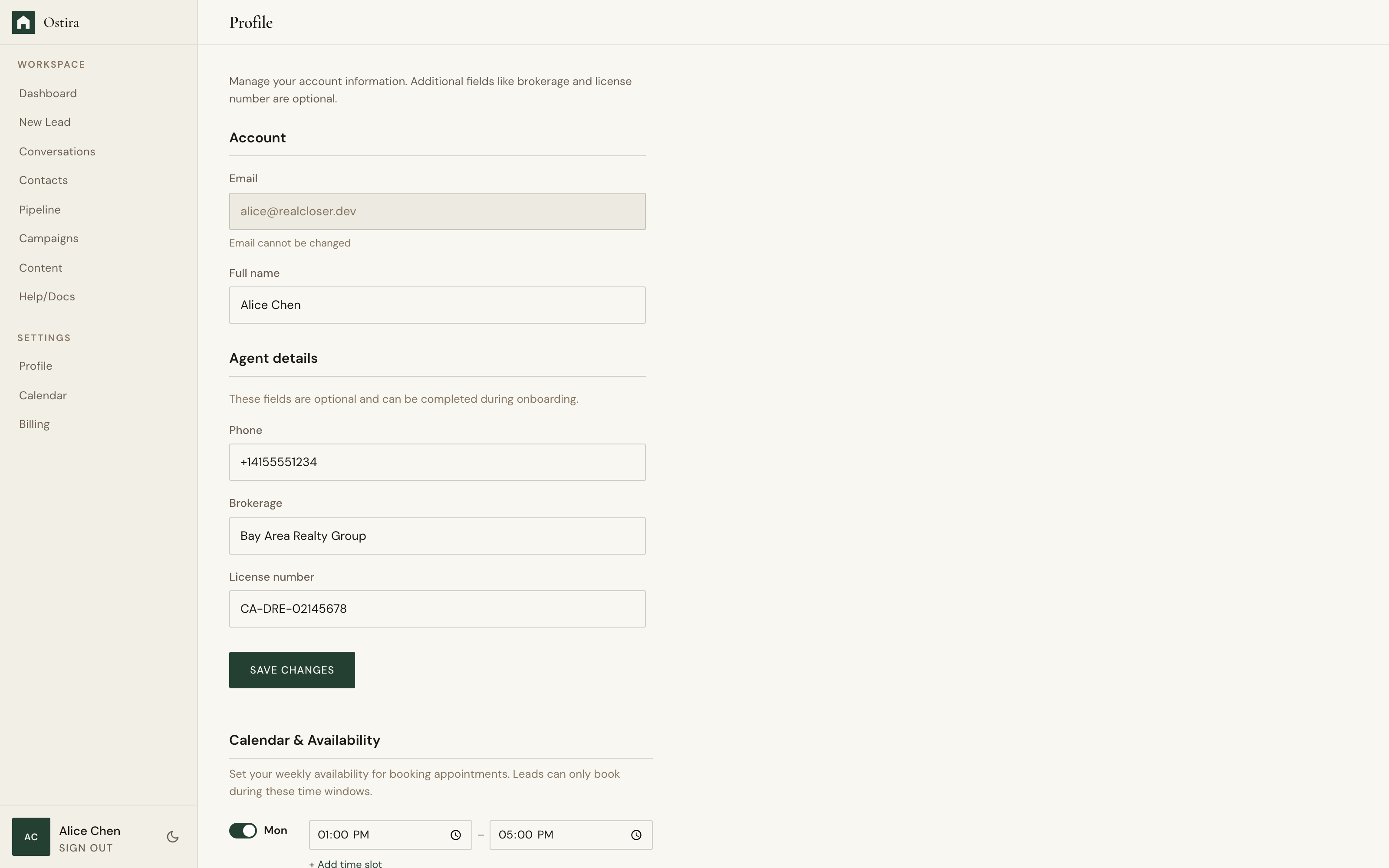
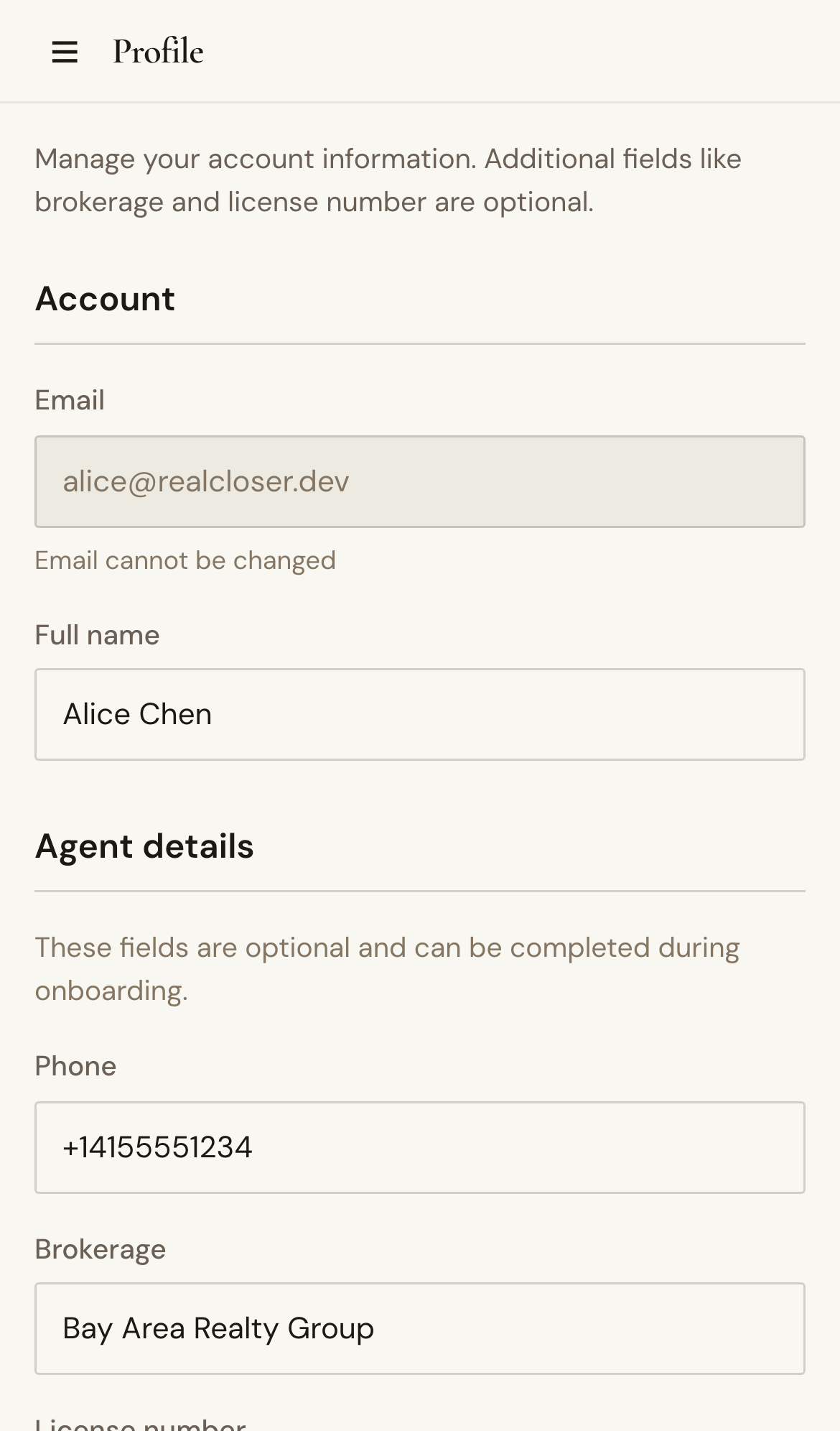
- Open Profile and update account details.
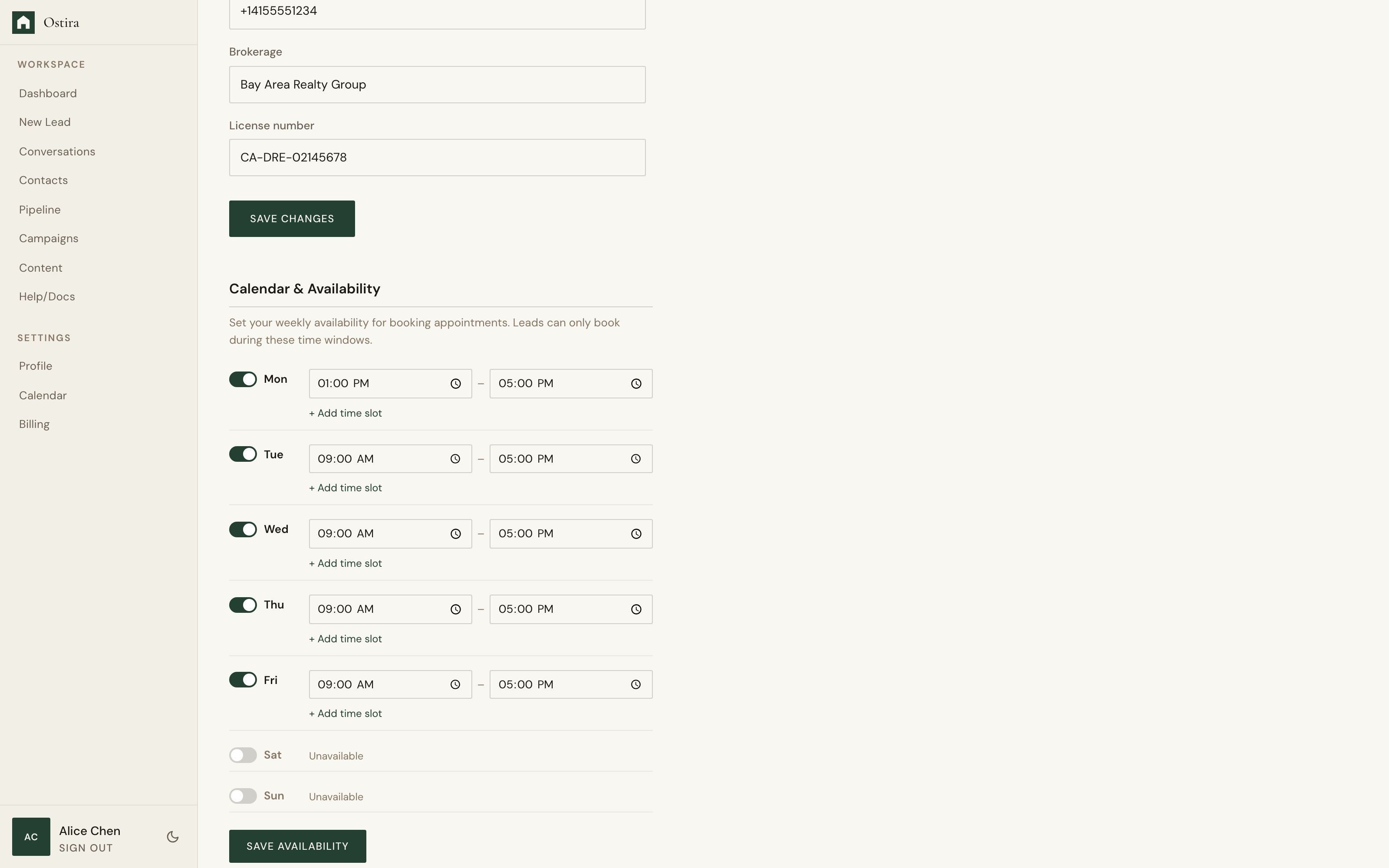
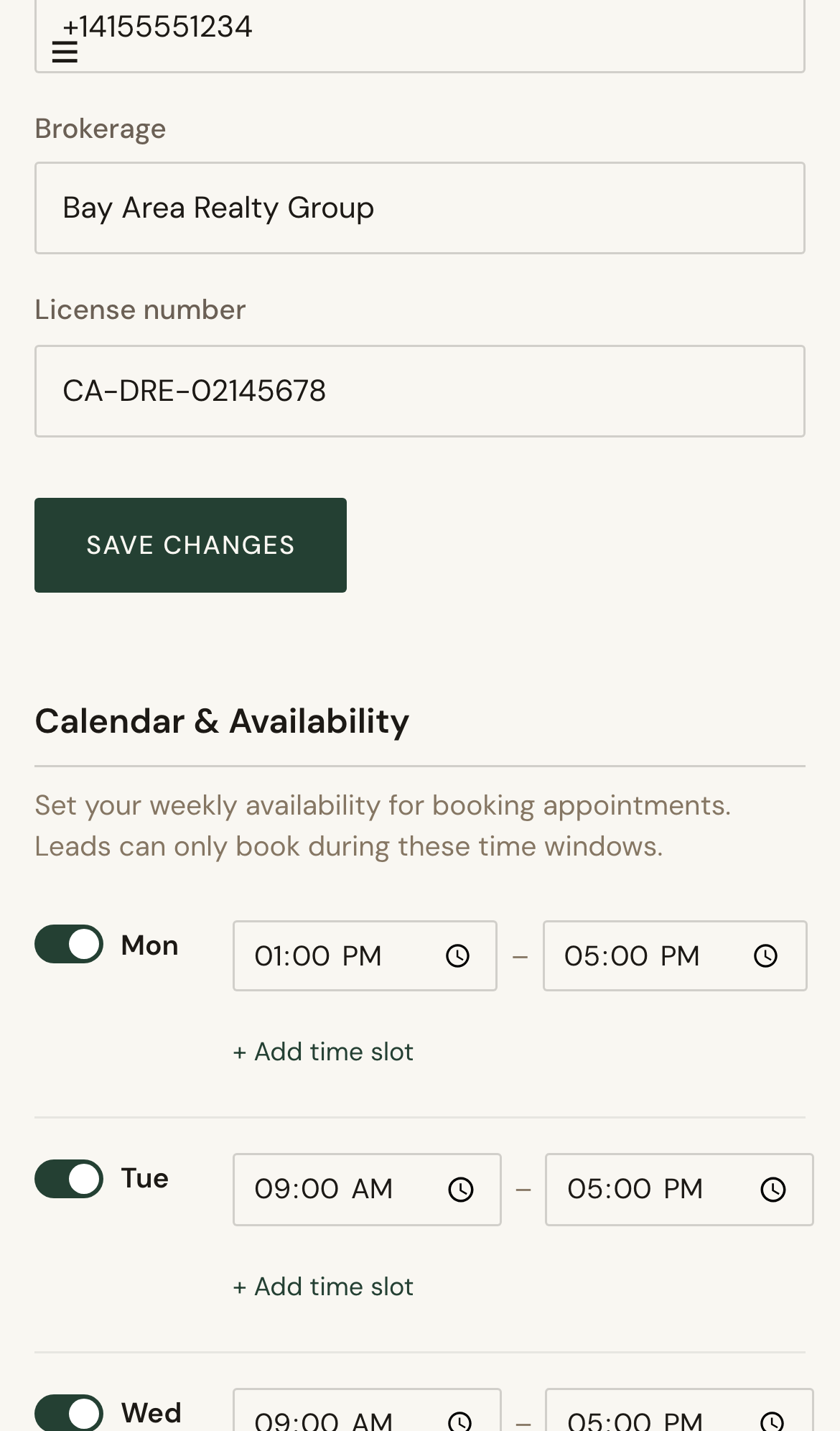
- Adjust weekly availability windows.
- Save and validate booking behavior.
Expected Result
Profile and availability reflect current operating hours and contact details.
Screenshots
Visual reference aligned to each step with desktop and mobile variants.
Step 1
Step 2
Troubleshooting
- If availability does not save, verify values and retry.
- If booking slots are incorrect, recheck calendar connection and availability.