Getting Started

Welcome to Ostira

Summary

Learn the workspace layout so you can move from sign in to first action without guesswork.

Steps

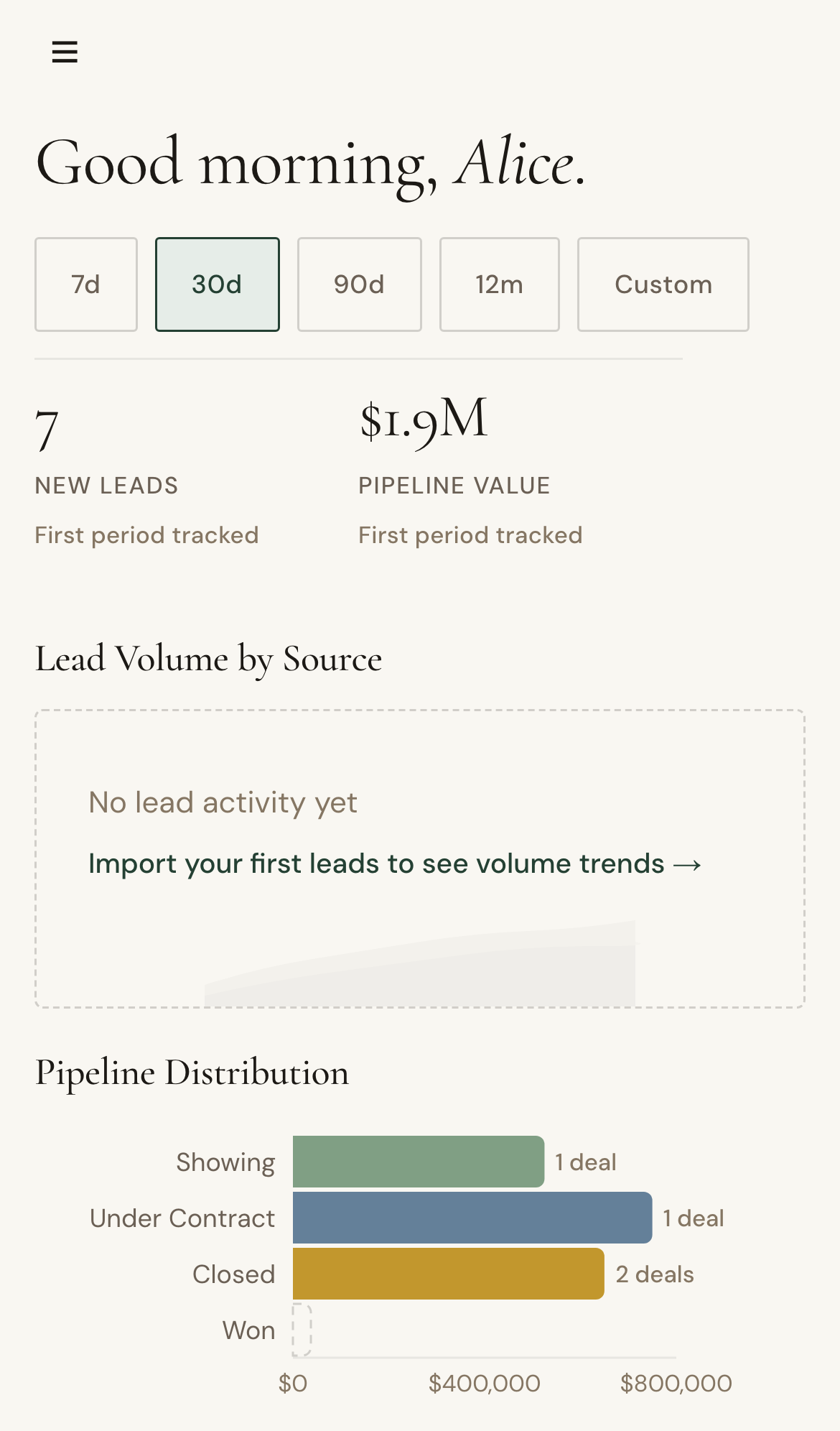
  1. Open Dashboard and review pipeline and conversation snapshots.
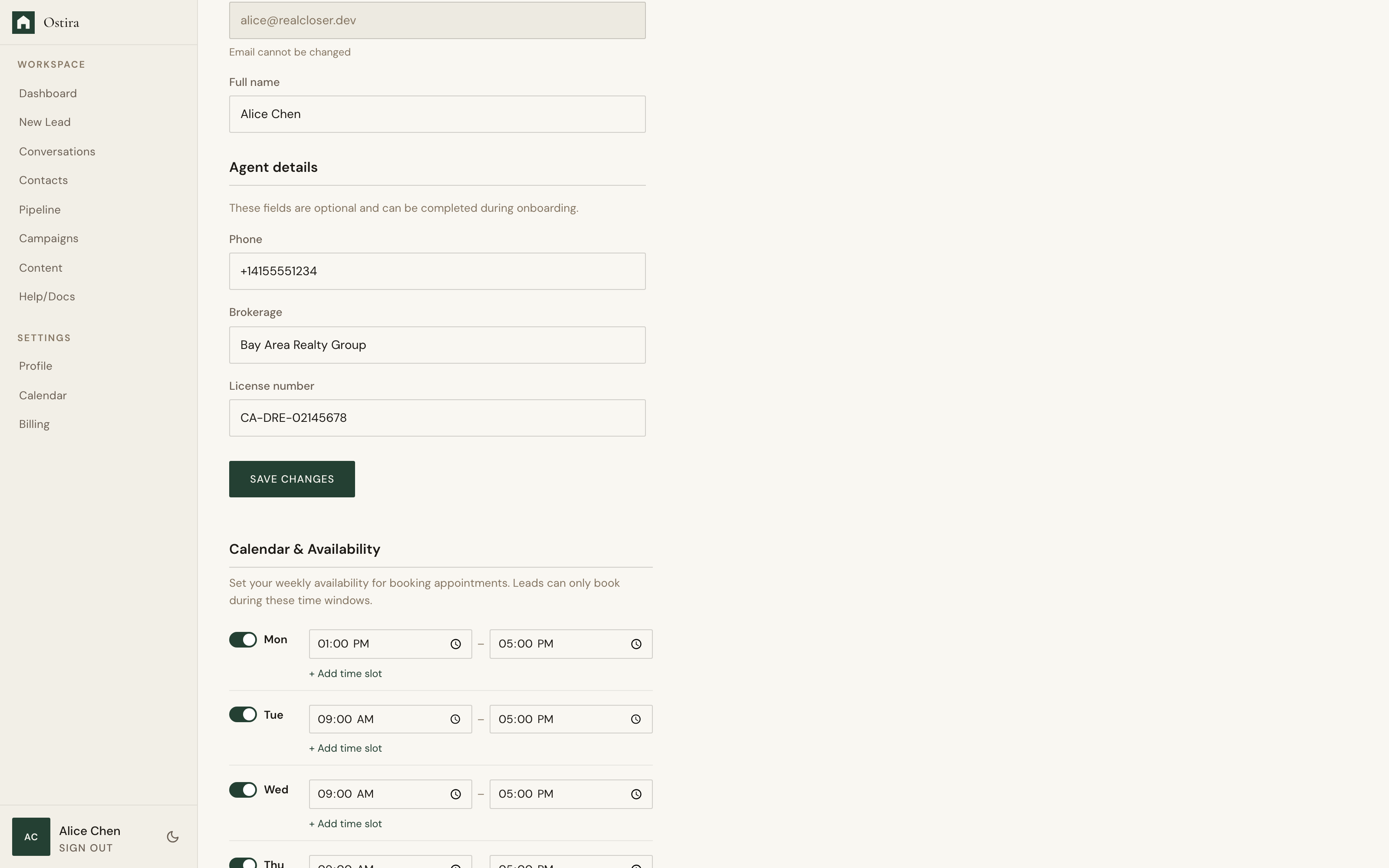
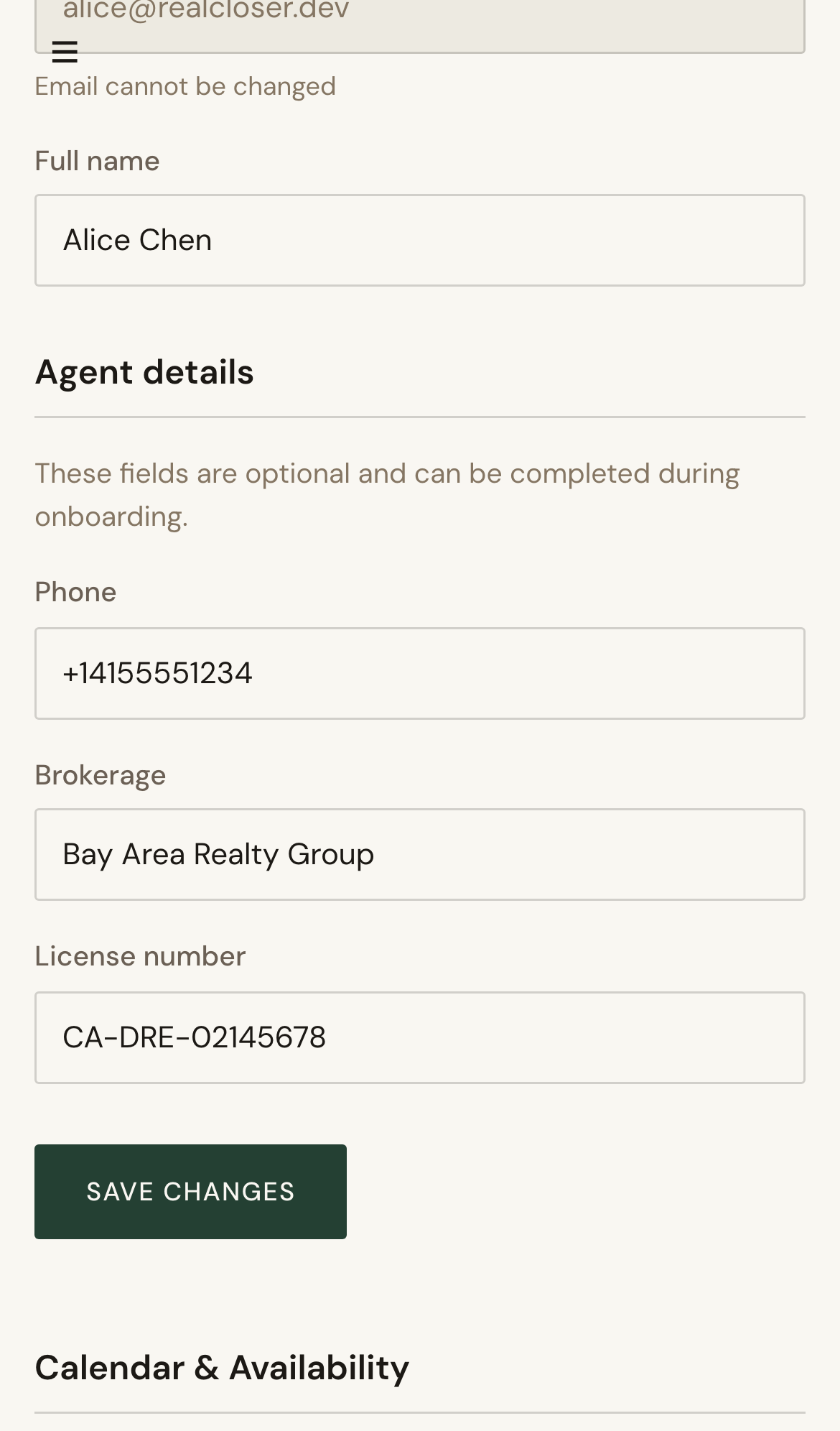
  2. Open Profile and confirm your account details.
  3. Open Calendar in Settings and confirm connection status.

Expected Result

You can navigate core surfaces confidently and know where daily workflows live.

Screenshots

Visual reference aligned to each step with desktop and mobile variants.

Step 1
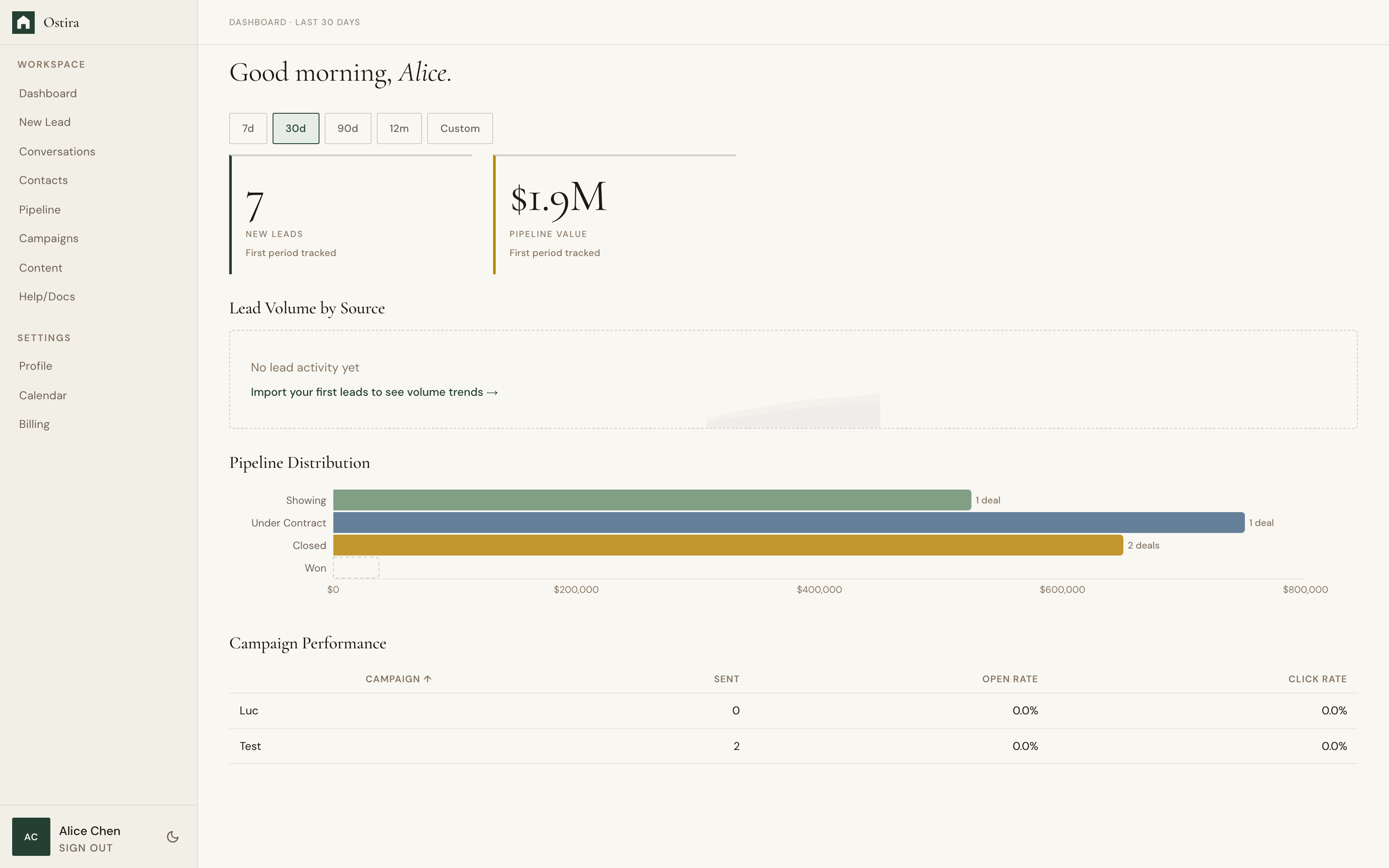
Desktop screenshot for Welcome to Ostira: Open Dashboard and review pipeline and conversation snapshots.
desktop Open Dashboard and review pipeline and conversation snapshots.
Mobile screenshot for Welcome to Ostira: Open Dashboard and review pipeline and conversation snapshots.
mobile Open Dashboard and review pipeline and conversation snapshots.

Step 2

Desktop screenshot for Welcome to Ostira: Open Profile and confirm your account details.
desktop Open Profile and confirm your account details.
Mobile screenshot for Welcome to Ostira: Open Profile and confirm your account details.
mobile Open Profile and confirm your account details.

Troubleshooting

  • If cards look empty, refresh after onboarding jobs finish.
  • If profile data is missing, sign out and sign in again.