Work your conversations
Updated
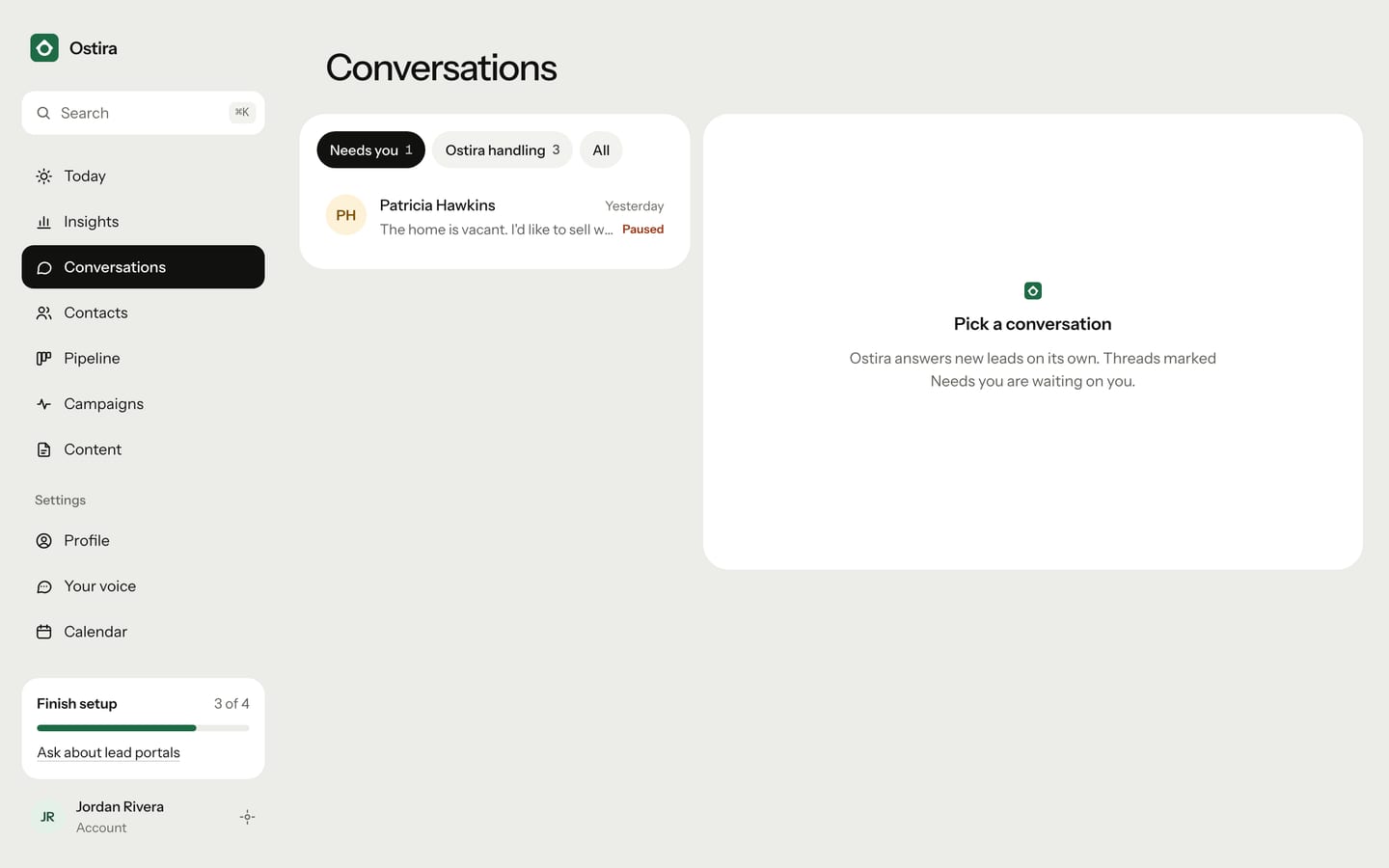
Conversations shows every lead thread. Use the filters to find the threads waiting on you, and the side panel to see what Ostira has learned about each lead.
Find the threads that need you
- In the sidebar, select Conversations. On a phone, select Inbox.
- Select a filter at the top of the list.
- Select a lead to open the thread.
| Filter | Shows |
|---|---|
| Needs you | Threads where Ostira is paused and waiting for you, and any thread with an unread alert |
| Ostira handling | Threads Ostira is still answering, with nothing waiting on you |
| All | Every thread |
When you open Conversations, it starts on Needs you if anything needs you, and on All if nothing does.
In the list, a dot next to a lead means an unread alert. "Paused" means Ostira has stopped replying on that thread and it's yours. When you sent the latest message, its preview starts with "You:".
Read a thread's status
The status shows at the top of the thread.
| Status | What it means |
|---|---|
| Ostira handling | Ostira is replying to the lead. Select Take over to write yourself. |
| Ostira paused · needs you | Ostira stopped and the thread is yours. There may be a suggested draft waiting. |
| Qualified · handed to you | Ostira has all four answers and handed the lead to you. It no longer replies here. |
| Gone cold | The lead didn't reply to Ostira's follow-ups. Ostira no longer replies here. |
On Qualified and Gone cold threads, there's no message box, and Take over doesn't appear.
See what Ostira learned
Next to the thread (below it on smaller screens), the lead's panel shows:
- Deal: the deal value (or the budget from the conversation), the lead's Hot, Warm or Cold score, and the pipeline stage.
- What Ostira learned: Budget, Timeline, Area and Motivation. "Not yet" means Ostira hasn't asked or the lead hasn't answered.
- Next up: the lead's next appointment and any campaign they're in.
Opening a thread marks its alerts as read.
Related
Was this helpful?
Still stuck? Email support@ostira.com.