How deals move automatically
Updated
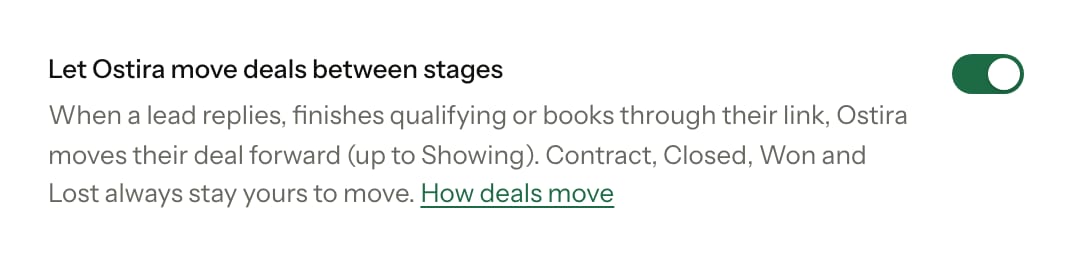
Ostira keeps your pipeline up to date by moving deals forward as conversations happen. This is on for every new account, and you can turn it off at any time.
How a lead gets a deal
When a lead comes in through the New lead form or a lead source, Ostira creates a deal for them in your New Lead stage. If the lead already has an open deal, Ostira uses that one instead of adding a second. When Ostira learns the lead's budget, it fills in the deal's value if the deal doesn't have one yet.
Contacts you import from a CSV file don't get a deal this way. Add one with New deal on Pipeline if you need it.
When Ostira moves a deal
| What happens | Where the deal goes |
|---|---|
| Ostira, you or a campaign sends the lead a message | Contacted |
| The lead replies | Contacted |
| The lead gives all four details Ostira asks for (timeline, budget, area and motivation) | Contacted |
| The lead books a consultation through the personal booking link Ostira sent them | Showing |
Stages are matched by what they mean, not their names. If you rename Showing to "Tours", deals still land there. If you delete a stage, Ostira has nowhere to send deals for that event, so it doesn't move them.
Rules Ostira follows
- Forward only. A deal only moves to a stage further along the board. Ostira never moves a deal back.
- Some stages are yours. Ostira never moves a deal into or out of Under Contract, Closed, Won or Lost.
- Your own stages. Ostira never moves a deal into a stage you added. A deal sitting in one can still move forward out of it.
- Your moves come first. After you move a deal yourself, Ostira leaves it alone for 14 days. The one exception is a booked consultation, which still moves the deal to Showing.
- Bookings must be linked. Only a booking through the lead's own link moves their deal. A booking from your general booking page, or from a personal link more than 30 days old, doesn't. See Booking links and reminders.
Try the rules on an example deal: pick what happens and see where the deal goes.
- New LeadSam Rivera is here
- Contacted
- Showing
- Under ContractOnly you
- ClosedOnly you
- WonOnly you
- LostOnly you
Sam just came in, so Ostira put a deal in New Lead. Pick something that happens next.
Something happens
You
How to tell what Ostira moved
- Cards Ostira moved show "Moved by Ostira". The tag goes away once you move the deal yourself.
- On Pipeline, a note at the bottom says how many deals Ostira moved today.
Turn it on or off
- Go to Profile.
- Under Pipeline, turn Let Ostira move deals between stages on or off.
The change saves right away. While it's off, Ostira doesn't move any deals, but it still creates a deal when a new lead arrives.
Was this helpful?
Still stuck? Email support@ostira.com.